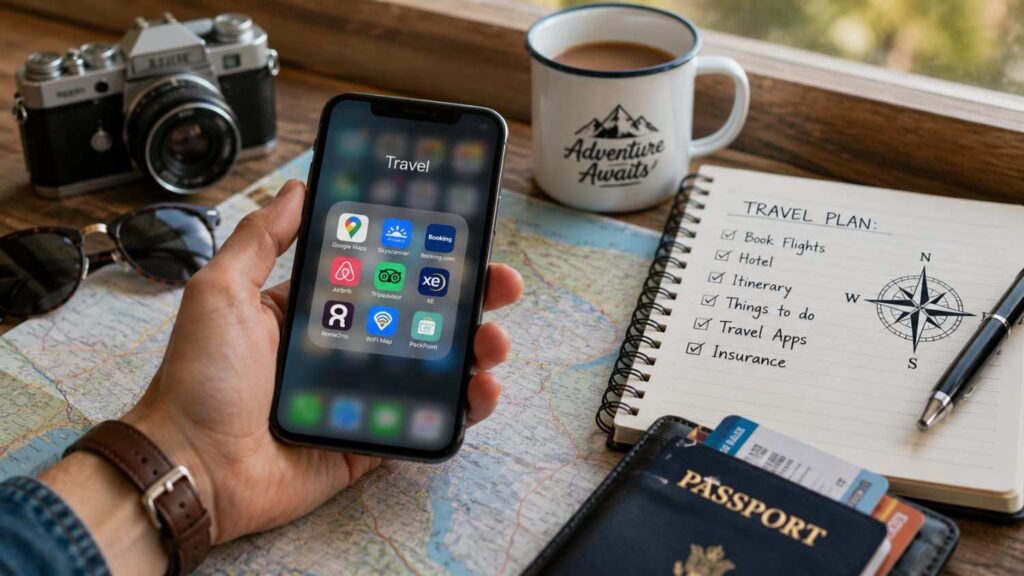
Top 10 Travel Apps You Need in 2026
Travel planning now involves much more than selecting a destination and booking a flight. Modern travellers may need to compare fares, monitor price changes, organize hotel confirmations, navigate unfamiliar cities, translate menus, reserve airport rides, manage foreign currencies, and arrange mobile data before landing.
The best travel apps 2026 travellers can use are not always the apps with the greatest number of features. A useful travel app solves a specific problem clearly and reliably. It should also be easy to use when the traveller is tired, offline, rushing through an airport, or dealing with a sudden change.
A good app toolkit should cover the complete journey. Flight and accommodation tools are useful before departure. Itinerary planners help keep confirmation numbers, dates, and addresses organized. Maps, translation, ride services, payment tools, and eSIM apps become especially important after arrival.
However, no app should be treated as completely reliable in every country. Features may vary by location, device, account type, and internet connection. Prices, subscription options, cancellation conditions, and availability can also change.
This guide reviews the Top 10 Travel Apps You Need in 2026 according to their main purpose, useful features, and practical limitations. It also explains how to prepare each app before leaving, which offline functions deserve attention, and how to download travel apps safely.
How We Chose the Best Travel Apps for 2026
The apps in this guide were selected according to practical travel needs rather than popularity alone. A well-known app is not automatically useful for every journey. The strongest recommendations are services that solve a clear problem and can fit naturally into a broader travel routine.
The list covers the full travel process. Flight and accommodation apps support research and booking. Itinerary and route-planning tools help organize complex journeys. Maps and translation apps assist after arrival. Ride-hailing, travel-money, and eSIM services address local transport, spending, and connectivity.
Official product websites and help-centre information should be used when evaluating features. App-store descriptions can also confirm device support, update history, and the developer’s identity. Third-party reviews can add context, but they should not replace official information when technical claims or availability are discussed.
The selection also considers limitations. Some services are unavailable in certain countries or cities. Others require compatible devices, active mobile data, paid subscriptions, or specific account eligibility.
If you’re interested in seeing how experienced travellers build their own app toolkit, this collection of travel app recommendations offers additional real-world perspectives that complement this guide.
Most travellers do not need every app on the list. The aim is to help readers choose one dependable tool for each important task. This reduces duplicated notifications, unnecessary permissions, and confusion when information is spread across too many services.
Cover the Entire Travel Journey
A useful travel app setup should support planning, booking, departure, arrival, and movement within the destination. Focusing only on flight booking leaves several important problems unsolved.
Before departure, travellers may need to compare fares, check flexible dates, reserve accommodation, and organize confirmation emails. During the journey, they may need access to flight numbers, hotel addresses, train times, and transfer details.
After arrival, navigation, communication, transport, payments, and mobile data become more important. A traveller who has several booking apps but no downloaded map or translation tool may still struggle in an unfamiliar destination.
I recommend choosing one main app for each travel task. Use one tool for fare comparison, one for itinerary organization, one for navigation, and one for mobile connectivity. A second app may be useful as a backup, but several similar tools can create duplicated alerts and scattered booking details.
The ideal toolkit should also match the trip. A short domestic visit may require only maps and accommodation. A multi-country journey may benefit from route planning, translation, foreign-currency management, and an international eSIM.
Check Limitations Before Relying on an App
Every recommended app has limitations. Some depend on internet access, while others provide selected offline functions only after content has been downloaded. Service coverage, payment options, route information, and device compatibility can vary by country.
Before departure, test the functions you expect to use. Open each booking inside the app and confirm the dates, names, addresses, and cancellation terms. Download the required map areas and language packs. Check whether itinerary information remains accessible in airplane mode.
For ride-hailing services, confirm that the app operates at the destination and whether airport pickup rules are different from normal city rides. For Wise, check whether the card and account features are available in your country. For Airalo, verify that the exact phone model supports eSIM technology and is not carrier locked.
Travellers should also check fees. An app may be free to install but charge for bookings, subscriptions, cancellation protection, currency conversion, or mobile data.
A practical backup is essential. Save confirmation numbers, addresses, emergency contacts, and travel documents outside the app. If the phone is lost, damaged, or disconnected, the trip should not depend entirely on one account.
| App | Best For | Standout Use | Important Limitation |
|---|---|---|---|
| Skyscanner | Comparing travel options | Price alerts and flexible-date searches | Displayed fares can change |
| Hopper | Monitoring prices | Buy-or-wait predictions | Predictions are not guaranteed |
| Booking.com | Accommodation and reservations | Managing bookings while travelling | Terms vary by provider |
| TripIt | Itinerary organization | Combining confirmation emails | Some alerts require TripIt Pro |
| Rome2Rio | Complex routes | Door-to-door transport comparisons | Some bookings use partner sites |
| Google Maps | Navigation | Downloadable map areas | Offline coverage varies |
| Google Translate | Language support | Camera and offline translation | Accuracy varies |
| Uber | Local and airport rides | On-demand and reserved rides | Availability differs by city |
| Wise | Foreign-currency spending | Currency and card management | Features vary by country |
| Airalo | Mobile data abroad | Local, regional, and global eSIMs | Requires an unlocked compatible phone |
Best Apps for Flights, Fares, and Accommodation
Flights and accommodation often represent the largest travel costs, so the apps used during this stage can have a major effect on the overall trip. However, no single tool is best for every booking.
Skyscanner is primarily useful for broad comparison. It helps travellers explore different airlines, routes, providers, and date combinations. Hopper focuses more heavily on monitoring prices and providing guidance about whether to book or wait. Booking.com is better suited to accommodation search and reservation management, although it also offers other travel products in selected markets.
Travellers should compare the final booking conditions rather than choosing an option based only on the first displayed price. Baggage, seat selection, payment fees, cancellation rules, and provider support can change the real cost.
It is also important to understand whether the app completes the booking directly or redirects the user to another provider. When a third party is involved, support and cancellation requests may need to go through that company.
Use alerts and predictions as research tools rather than guarantees. Airfares can change rapidly, and no app can promise that a price will fall. Once the fare and conditions meet your needs, waiting for a perfect price may create additional risk.
| Travel Category | Recommended App | Primary Purpose | Best Use Case |
|---|---|---|---|
| Flight Comparison | Skyscanner | Compare airlines, routes, and fares | Finding flexible travel options |
| Fare Monitoring | Hopper | Track prices and booking trends | Waiting for better flight deals |
| Accommodation | Booking.com | Book hotels and manage reservations | Hotels, apartments, and stays |
| Trip Planning | TripIt | Organize travel confirmations | Keeping all bookings in one itinerary |
| Route Planning | Rome2Rio | Compare transport options | Multi-city and international journeys |
| Navigation | Google Maps | Directions and offline maps | Exploring destinations without internet |
| Translation | Google Translate | Translate text, speech, and images | Communicating in foreign countries |
| Local Transport | Uber | Book rides in supported cities | Airport transfers and city travel |
| Travel Money | Wise | Manage multiple currencies | Spending abroad with lower conversion costs |
| Mobile Connectivity | Airalo | Purchase international eSIM plans | Internet access after arrival |
1. Skyscanner
Skyscanner is a strong starting point for travellers who want to compare flights across several airlines, routes, and booking providers. It also supports searches for accommodation and car hire, making it useful during the early planning stage.
Its flexible-date tools can help users identify less expensive travel periods. Instead of searching only one departure date, travellers can compare indicative prices across a month. This is especially helpful when the trip dates are not fixed.
Price alerts allow users to monitor a selected route and receive notifications when fares change. However, the displayed price may change before the booking is completed. Availability, baggage rules, payment fees, and the final provider price should always be checked carefully.
Skyscanner may redirect users to an airline or travel provider to complete the purchase. The booking contract and customer support may therefore belong to that provider rather than Skyscanner itself.
The app is best used as a comparison and discovery tool. Travellers should review the final fare conditions, airline policies, connection times, airport changes, and baggage allowances before paying.
Best for: Travellers comparing routes, dates, airlines, and providers before making a booking decision.
2. Hopper
Hopper is designed for travellers who want to monitor flight, hotel, and rental-car prices over time. Its best-known feature is price prediction, which provides guidance about whether the user may benefit from booking now or waiting.
The app analyses historical and current pricing patterns. It may show a suggested booking period, expected price movement, or notification when the app believes the fare is more attractive. These predictions can reduce the need to check prices manually every day.
However, predictions are not guarantees. Unexpected demand, airline decisions, fuel costs, schedule changes, or limited availability can cause prices to move differently. Travellers should treat the recommendation as one piece of information rather than a promise.
Some Hopper services, protections, or booking options may include additional fees or conditions. Review the complete purchase screen before confirming a reservation.
Hopper is most useful for travellers with flexible dates or those who begin planning early enough to monitor prices. It is less useful when a trip must be booked immediately.
Best for: Travellers who want price-monitoring guidance and are comfortable comparing predictions with their own timing and budget.
3. Booking.com
Booking.com is widely used for accommodation research and reservation management. Travellers can search hotels, apartments, guesthouses, hostels, and other property types according to destination, dates, budget, location, and available facilities.
The app can store reservation details and provide access to important information while travelling. Users may be able to contact the property, review check-in instructions, locate the address, and manage certain booking changes inside the app.
Cancellation, payment, deposit, and refund conditions are set according to the individual property or provider. Two rooms at the same hotel may have different terms, so readers should review the exact rate conditions before booking.
Property descriptions and guest reviews can support a decision, but travellers should also check recent feedback, location, transport access, and the property’s own policies. A low displayed price may exclude taxes, meals, parking, or other charges.
Booking.com is useful when accommodation is the main priority and the traveller wants the reservation details in one place.
Best for: Travellers searching for accommodation while also wanting convenient access to booking details and property communication.
Related Articles
Best Apps for Itineraries and Complex Routes
Travel information is often spread across airlines, hotels, train companies, rental services, event platforms, and email accounts. This becomes difficult to manage during a multi-city or international journey.
An itinerary app solves a different problem from a booking app. It does not necessarily find the cheapest option. Instead, it organizes confirmation numbers, dates, times, addresses, and reservations into a structured schedule.
Route-planning apps help with another challenge: understanding how to move between two locations when the journey involves several transport methods. A trip may require a flight, train, ferry, local bus, taxi, and walking connection.
TripIt is strongest for organising existing reservations. Rome2Rio is useful for researching possible transport combinations between destinations. Together, they can support complicated trips where the booking information and physical route are equally important.
Travellers should still verify schedules through the transport operator before departure. Route-planning results may contain estimates, and services can change because of strikes, weather, maintenance, or seasonal schedules.
It is also wise to save key itinerary information outside the apps. A screenshot, secure document, or printed copy can provide a backup when the phone has no battery or internet access.
4. TripIt
TripIt creates a central itinerary by organizing eligible travel confirmation emails. Users can forward confirmations to plans@tripit.com, and the service can place flights, accommodation, rental cars, and other reservations into one trip.
This is useful when bookings were made through several companies. Instead of searching the inbox for every confirmation, the traveller can review the journey in chronological order.
TripIt’s free features include itinerary organization, calendar syncing, maps, sharing, and selected document storage. The itinerary can also be available offline after it has been accessed and prepared correctly.
TripIt Pro includes additional functions such as real-time alerts and advanced travel assistance. Travellers should compare the paid features with their actual needs before subscribing.
The app works best when confirmation emails contain clear and supported booking information. Users should review imported details because automated systems may occasionally require correction.
Before departure, confirm that every flight, hotel, transfer, and activity appears under the correct date. Add missing addresses, contact numbers, and notes manually where needed.
Best for: Business travellers, families, and multi-booking journeys with confirmations stored across several providers.
5. Rome2Rio
Rome2Rio is a door-to-door route-planning service that compares different ways to travel between cities, towns, airports, stations, and attractions. It may display combinations involving flights, trains, buses, ferries, taxis, driving, and walking.
This makes the app especially useful when the route is unfamiliar or several transport modes must be combined. A traveller can use it to understand possible journey times, transfer points, and estimated costs before researching individual operators.
Rome2Rio should be treated as a planning and comparison tool. Some tickets may be available through partners, while others must be booked directly with the transport company. Prices and schedules can change after the route is displayed.
Always verify important departures through the official airline, railway, bus, or ferry operator. Check whether the journey requires advance reservations, local cash, separate tickets, or a transfer between different stations.
Rome2Rio is particularly useful for identifying options that may not appear in a standard flight or map search.
Best for: Multi-city trips, regional travel, and destinations where flights, trains, buses, ferries, and road transport must be compared.
Best Apps for Maps and Language
Navigation and communication can become difficult immediately after arrival, especially when mobile data is limited or local signs use an unfamiliar language. Maps and translation tools are therefore among the most important essential travel apps.
Google Maps helps travellers locate hotels, stations, restaurants, attractions, hospitals, and other useful places. Its downloadable map function provides a valuable backup when a stable connection is unavailable.
Google Translate supports text, speech, handwriting, photos, and selected offline languages. The camera function can help travellers understand menus, signs, product labels, and written instructions.
Neither app should be treated as completely accurate. Offline maps may not include all live traffic, public transport, or recent road information. Machine translation may misunderstand slang, complex grammar, unusual fonts, or low-quality images.
The best preparation is to download the required content before leaving home. Save key locations inside the map app and download the destination language where supported.
Travellers should also learn a few basic local phrases. A translation app can support communication, but polite greetings, numbers, directions, and emergency words remain helpful.
These tools work best when they reduce uncertainty rather than replace awareness. Always confirm safety-critical directions, medical information, and official instructions through reliable local sources.
6. Google Maps
Google Maps is one of the most practical travel apps for navigation, place discovery, route planning, and saved locations. Travellers can search for accommodation, restaurants, attractions, petrol stations, pharmacies, hospitals, and transport points.
Before departure, save important locations such as the airport, hotel, railway station, embassy, and emergency medical facility. Organizing saved places can make navigation easier after arrival.
Selected map areas can be downloaded for offline use. This can provide driving directions and basic map access when mobile data is weak. However, offline functions may not include complete walking, cycling, traffic, or public-transport information.
Download the map while connected to Wi-Fi and test it in airplane mode. Make sure the selected area includes the airport, accommodation, and surrounding neighbourhoods.
Location information, opening hours, and business listings can change. Important addresses and transport instructions should be checked through official websites as well.
Google Maps is strongest as an everyday navigation tool, but travellers should still keep a written address and basic route backup.
Best for: Navigation, nearby place searches, saved locations, and downloaded map areas during domestic or international trips.
7. Google Translate
Google Translate supports communication through typed text, speech, handwriting, photographs, and camera translation. It covers more than 200 languages across its different functions, although not every feature is available for every language.
The camera tool can help with menus, street signs, packaging, instructions, and notices. Travellers can point the camera at text or upload an existing image for translation.
Supported languages can be downloaded for offline use. This is valuable when the traveller has no local SIM, eSIM, or reliable Wi-Fi. Download the required language before departure and confirm that offline translation works.
Machine translation has limitations. It may struggle with regional expressions, slang, handwritten text, unusual fonts, technical wording, or low-quality images. Short and simple sentences usually produce clearer results.
For important medical, legal, or safety-related communication, professional interpretation or verified local assistance may be necessary.
Google Translate works best as a practical communication aid rather than a perfect replacement for human understanding.
Best for: Menus, signs, directions, simple conversations, and basic written communication in unfamiliar languages.
Best Apps for Ground Transport, Money, and Connectivity
After arrival, travellers often need three things quickly: transportation, a practical payment method, and mobile data. These needs can become stressful when local systems, currencies, and communication methods are unfamiliar.
Uber can support airport transfers and local rides in places where the service operates. However, availability, ride categories, reservation options, and airport pickup procedures vary by city.
Wise helps eligible customers manage multiple currencies, convert money, and control card activity through an app. Its usefulness depends on country eligibility, supported features, and applicable fees.
Airalo provides eSIM plans for local, regional, and global mobile data. It can help travellers connect without purchasing a physical SIM after landing, but the phone must support eSIM technology and be free from carrier restrictions.
These apps should be prepared before departure. Create accounts, verify identity requirements, add payment methods, and review the service conditions while connected to a secure internet connection.
Travellers should not rely on one transport service, payment card, or data provider. Keep an alternative card, emergency cash, accommodation Wi-Fi information, and another transport plan.
The objective is not to eliminate every travel problem. It is to reduce delays and make essential services easier to access.
8. Uber
Uber provides on-demand rides in supported cities and may also offer scheduled or reserved rides. It can be useful for airport transfers, hotel journeys, late-night transport, and destinations where language differences make street directions difficult.
The app usually shows available ride categories, an estimated price, pickup location, and driver information. However, the final price may change because of waiting time, tolls, route changes, demand, or local pricing rules.
Uber Reserve is available in selected locations and may allow travellers to request a ride well before departure. Airport reservations may use flight details, but users should still review confirmation and driver information.
A reservation request should not be treated as fully secure until the app confirms the relevant details. Cancellation and waiting-time rules can vary.
Airport pickup points may be located away from the arrivals exit. Follow the instructions inside the app and check airport signs.
Uber does not operate everywhere. Local taxi apps, public transport, hotel transfers, or licensed airport services should be researched as alternatives.
Best for: Local journeys and airport transfers in cities where Uber has reliable service coverage.
9. Wise
Wise helps eligible users hold, convert, send, and spend money in multiple currencies. The app can show balances, conversion information, card activity, and transaction notifications.
A Wise card may allow travellers to spend from supported currency balances and convert funds when required. Official regional pages currently describe support for more than 40 currencies, although card availability and account features vary by country.
The app also allows users to freeze or unfreeze the card, review transactions, and manage selected account settings. These controls can be useful if a card is misplaced.
Travellers should check conversion fees, withdrawal allowances, weekend pricing, card replacement rules, and account eligibility before departure. Wise may not be available with the same features in every region.
It is also important to carry another payment method. A merchant may not accept the card, an ATM may charge its own fee, or the account may require additional verification.
Wise is a travel money tool, not a guarantee of the lowest possible cost in every situation.
10. Airalo
Airalo sells local, regional, and global eSIM packages for more than 200 destinations. An eSIM allows a compatible phone to connect to a mobile network without replacing the physical SIM card.
Travellers can choose a plan according to destination, data allowance, validity period, and supported network. Some plans include data only, while others may offer calls or texts. These details vary and must be checked before purchase.
The phone must support eSIM technology and must not be locked to a carrier that prevents another mobile plan from being added. Compatibility should be checked according to the exact phone model and region.
Installation and activation rules may differ between plans. Some packages begin when installed, while others start when they first connect to a supported network. Read the activation policy carefully.
An eSIM can provide data soon after landing, but travellers should save installation instructions and accommodation Wi-Fi details as a backup.
Best for: International travellers with compatible unlocked devices who want mobile data without purchasing a physical SIM after arrival.
How to Set Up Travel Apps Before You Leave
Travel apps are most useful when they are prepared before departure. Waiting until the airport or destination creates unnecessary problems, particularly when login verification, payment approval, app updates, or downloads require a stable connection.
Begin by installing each app through its official website, the Apple App Store, or Google Play. Confirm the developer’s name and avoid unofficial installation files. Update the phone’s operating system and the selected apps before travelling.
Open every account and complete required verification. Add booking information, save important locations, download map areas, and install offline language packs. Check that tickets, QR codes, and confirmation details are visible.
Review app permissions. Navigation apps may need location access, while camera translation requires camera permission. Avoid granting access that is unrelated to the app’s main function.
Travellers should also review fees, cancellation terms, subscriptions, eSIM activation rules, currency charges, and ride-reservation policies. The time to understand these conditions is before a problem occurs.
Finally, create backups. Save key information in a secure folder, email account, printed document, or second device. Apps can fail because of battery loss, poor internet, forgotten passwords, or account restrictions.
Proper preparation turns travel apps into practical tools rather than last-minute sources of stress.
Reviewing how frequent travellers organize their essential travel apps can also help you decide which tools are worth installing before your trip.
| Setup Task | Why It Matters | Recommended Apps |
|---|---|---|
| Download Offline Maps | Navigate without mobile data | Google Maps |
| Save Offline Language Packs | Translate when internet is unavailable | Google Translate |
| Verify Travel Itinerary | Keep bookings organized | TripIt |
| Enable Price Alerts | Monitor fare changes | Skyscanner, Hopper |
| Check Booking Details | Confirm accommodation and transport | Booking.com |
| Verify eSIM Compatibility | Ensure mobile data works abroad | Airalo |
| Review Currency Options | Prepare for international payments | Wise |
| Save Emergency Information | Access important details offline | Any secure notes or travel app |
Download Offline Content
Offline content provides an important backup when mobile data, roaming, or Wi-Fi is unavailable. Begin by downloading the required destination area in Google Maps. Make sure the selected area includes the airport, accommodation, stations, and places you expect to visit.
Download the destination language in Google Translate where offline support is available. Test basic text and camera translations after placing the phone in airplane mode.
Open TripIt and confirm that the itinerary is available. Review every flight, hotel, train, rental, and activity. Save confirmation numbers, addresses, contact information, and check-in instructions.
Tickets and QR codes should be stored in a secure location that remains accessible offline. Screenshots can be useful, but sensitive personal information should be protected by the phone’s screen lock.
Download airline entertainment or transport apps if they will be needed during the journey. Save travel insurance details, emergency contacts, passport copies, and medication information securely.
Offline preparation should not replace printed backups for critical documents. A small paper containing the hotel address, emergency contact, and insurance number can remain useful if the phone is lost or damaged.
Check Fees, Permissions, and Compatibility
Before paying for any travel service, review the complete cost and conditions. Flight and hotel apps may display a low starting price that changes after baggage, taxes, payment charges, or optional services are included.
Check whether a fare or room can be changed or cancelled. Review refund conditions and identify which company is responsible for customer support.
For Wise, confirm card availability, conversion fees, withdrawal conditions, and regional restrictions. For Airalo, check phone compatibility, carrier-lock status, plan validity, activation rules, data allowance, and network coverage.
Review app permissions through the phone’s settings. A map app may require location access, but it may not need permanent access when it is not being used. A translation app may need camera and microphone permissions for specific functions.
Apple and Google provide privacy and data-safety information in their stores. Read the developer name, app details, update history, and declared data practices.
Subscriptions should also be checked. Some apps offer premium alerts or protections through recurring plans.
Understanding fees, permissions, and compatibility before travelling reduces the risk of unexpected charges, failed installations, and unavailable services.
Create a Backup Plan
A reliable travel setup should never depend entirely on one app, payment method, device, or internet connection. Even a well-prepared phone can be lost, stolen, damaged, or temporarily disconnected.
Carry at least one payment card from another provider and keep a reasonable amount of emergency cash. Store cards separately so that losing one wallet does not remove every payment option.
Write down your accommodation address in English and, where helpful, in the local language. Save the airline, hotel, insurance company, embassy, and emergency contact numbers outside the main app.
Keep printed or offline copies of important tickets, visas, insurance documents, and booking confirmations. Sensitive files should be protected rather than left openly accessible.
Research an alternative transport option before arrival. If Uber is unavailable, know whether the airport has licensed taxis, public transport, hotel transfers, or another local ride app.
Enable a strong screen lock, app security, and account recovery options. Avoid completing sensitive transactions over unknown public Wi-Fi.
A backup plan does not need to be complicated. Its purpose is to make sure that one technical failure does not prevent you from reaching the hotel, accessing money, or contacting assistance.
Quick Answer About Top 10 Travel Apps You Need in 2026
The most useful travel app collection should cover the entire journey rather than filling your phone with several tools that perform the same task. For flight research, Skyscanner helps compare routes, dates, and providers, while Hopper focuses on price monitoring and buy-or-wait predictions. Booking.com supports accommodation and booking management.
TripIt organizes confirmation emails into one itinerary, while Rome2Rio helps compare complex combinations of flights, trains, buses, ferries, driving, and walking. Google Maps is useful for navigation and downloaded map areas. Google Translate supports camera, text, speech, and selected offline translations.
Uber can help with airport transfers and local rides where available. Wise supports eligible travellers who want to manage foreign currencies and card spending. Airalo provides local, regional, and global eSIM data plans for compatible unlocked phones.
You do not necessarily need all ten apps. Choose one tool for each major task, such as booking, itinerary management, navigation, communication, transport, money, and connectivity.
Install the apps before departure through their official websites, the Apple App Store, or Google Play. Test logins, download offline content, verify booking details, check fees, and confirm device compatibility before you travel.
Frequently Asked Questions About Top 10 Travel Apps You Need in 2026
Travellers often ask whether they need every recommended app, which services work offline, and how to choose between tools that appear to perform similar tasks. The answer depends on the destination, journey complexity, budget, device, and access to mobile data.
A short domestic trip may require only navigation, accommodation, and transport apps. An international multi-city journey may benefit from fare comparison, itinerary organization, translation, foreign-currency management, and eSIM connectivity.
Offline functions are especially important, but they must usually be prepared in advance. Maps and language packs should be downloaded before departure. Itinerary information should be opened and checked while connected.
App safety is another common concern. Travellers should use official stores, confirm the developer, review permissions, and avoid unofficial files or suspicious links. Services involving payments or travel documents should use strong account security.
The FAQs below provide direct answers to common search questions. Each answer should be considered alongside the detailed app reviews and setup guidance earlier in the article.
Features and availability can change, so travellers should check official sources before relying on any app for an important journey.
Do I Need All Ten Travel Apps?
No, most travellers do not need every app on the list. The right selection depends on the destination, trip length, booking complexity, and travel style.
A simple trip may require a booking app, Google Maps, and a transport service. An international journey may also need Google Translate, Wise, Airalo, and an itinerary organizer.
Choose one main app for each important task. Installing several flight comparison tools or several hotel apps may create duplicated notifications without providing additional value.
Before downloading an app, ask what problem it will solve. If your airline, hotel, or tour company already provides clear itinerary management, TripIt may be optional. If your mobile provider offers affordable roaming, an eSIM may not be necessary.
It is still useful to have backups for essential functions. You may keep another map or payment option without using it every day.
The goal is not to fill the phone with popular software. It is to create a small, dependable toolkit that supports planning, navigation, communication, transport, money, and connectivity.
Which Travel Apps Work Offline?
Google Maps supports downloaded map areas, although offline features are more limited than live navigation. Download the required area before departure and confirm that it includes the airport, hotel, and surrounding locations.
Google Translate supports downloadable language packs for selected languages. This allows basic text translation without an active connection. Camera and conversation functions may vary when offline.
TripIt can provide offline itinerary access after the trip information has been organized and opened correctly. Users should confirm that all bookings and notes appear before travelling.
Booking.com may provide access to selected accommodation details, such as the property address, without a connection. However, live changes, messages, and customer support normally require internet access.
Offline availability should never be assumed. Test each function in airplane mode before departure.
Also keep a written address, confirmation numbers, and emergency contacts outside the apps. Offline tools are valuable, but a phone with no battery or a damaged device can still make the information unavailable.
Which App Is Best for Finding Cheap Flights?
Skyscanner is useful for comparing airlines, booking providers, flexible dates, and possible route combinations. Its price alerts can notify travellers when a monitored fare changes.
Hopper provides buy-or-wait predictions based on pricing patterns. This may help travellers decide whether to book immediately or continue monitoring.
Neither app can guarantee the lowest future fare. Prices change according to demand, availability, airline decisions, season, events, and many other factors.
Compare the complete price rather than the first displayed figure. Check baggage allowance, seat fees, payment charges, airport changes, layover time, and cancellation terms.
Travellers should also verify whether the booking will be completed directly with the airline or through a third-party provider. Support procedures may differ after purchase.
The best approach is to use comparison tools for research and book when the fare, schedule, and conditions meet your needs. Waiting indefinitely for a lower price can create the risk of fewer options or higher costs.
What Is the Best App for Organizing a Trip?
TripIt is a strong option when reservations come from several airlines, hotels, car-rental companies, and booking websites. Forwarding eligible confirmation emails allows the app to organize the journey into one itinerary.
This can reduce the need to search through an inbox while travelling. The app may also support calendar syncing, maps, document storage, sharing, and offline itinerary access.
Travellers who book most services through one platform may find that the provider’s own app is enough. For example, a simple trip booked entirely through Booking.com may not require a separate organizer.
The best choice depends on the number of reservations and the complexity of the journey. Multi-city trips benefit more from a dedicated itinerary tool.
Whichever system you choose, review every detail manually. Confirm passenger names, dates, times, addresses, booking references, and local time zones.
Also keep a backup copy outside the app. An itinerary organizer improves convenience, but important travel details should remain accessible if the account or device becomes unavailable.
Is Airalo Suitable for Every Phone?
No. Airalo requires a phone or device that supports eSIM technology. The device must also be free from carrier restrictions that prevent another mobile plan from being installed.
Compatibility can differ between regional versions of the same phone model. A model name alone may not be enough, so check the exact device and country version.
Users can often find eSIM settings inside the phone’s network or mobile-data menu. However, the official compatibility list and device manufacturer information should also be reviewed.
Before buying a plan, check the destination, supported network, data allowance, validity period, activation policy, and whether calls or texts are included.
Some plans begin when installed, while others begin when the eSIM first connects to a supported network. Installing too early may reduce the usable period.
If the phone is incompatible, alternatives include international roaming, a physical local SIM, portable Wi-Fi, or another traveller’s hotspot.
Confirming compatibility before payment prevents the common problem of purchasing a plan that cannot be installed.
Are Travel Apps Safe to Download?
Travel apps are generally safer when downloaded through the official Apple App Store, Google Play, or a verified link from the developer’s official website.
Confirm the developer’s name before installing the app. Avoid unofficial files, modified applications, and links sent through suspicious messages or pop-up advertisements.
Review the requested permissions. A navigation app may need location access, while a translation app may need the camera or microphone. Permissions that do not match the app’s function deserve additional attention.
Use strong, unique passwords for booking, transport, and financial apps. Enable two-factor authentication where available. Keep the phone and apps updated because updates may include security improvements.
Avoid entering payment, passport, or banking information over unknown public Wi-Fi. Use a trusted mobile connection or secure network.
If an app stores travel documents or card details, protect the phone with a strong screen lock and remote device controls.
No app is completely risk-free. Safe downloading, limited permissions, secure accounts, and careful payment practices reduce the chance of fraud or data loss.
Conclusion
The Top 10 Travel Apps You Need in 2026 cover the most important tasks involved in a modern journey. Skyscanner and Hopper support flight research and price monitoring, while Booking.com helps with accommodation and reservation management.
TripIt organizes confirmations into one itinerary, and Rome2Rio helps compare complex transport combinations. Google Maps supports navigation and downloadable areas, while Google Translate helps travellers understand signs, menus, and basic conversations.
Uber can simplify local and airport transport where available. Wise helps eligible travellers manage foreign-currency spending and card controls. Airalo provides mobile data through eSIM plans for compatible unlocked devices.
The best travel setup is not the one with the greatest number of apps. It is the one that solves the traveller’s actual problems without creating duplicated information, unnecessary fees, or confusing notifications.
Install and test each app before departure. Download offline content, verify booking details, review charges, check device compatibility, and save essential information outside the main phone.
Travel apps cannot prevent every delay, cancellation, lost connection, or unexpected change. They can, however, make information easier to access and help travellers respond with greater confidence.
Choose the apps that match your destination and travel style, prepare them carefully, and maintain practical backups for important documents, payments, transport, and connectivity.